You build the agent.
AmorphiaUI builds the interface.
Your users ask a question in plain language. The agents answer in plain language — and generate a table, a chart or a monitor only when it makes the answer clearer. Every number names its source. Every handoff is on the record. Every failure replays.
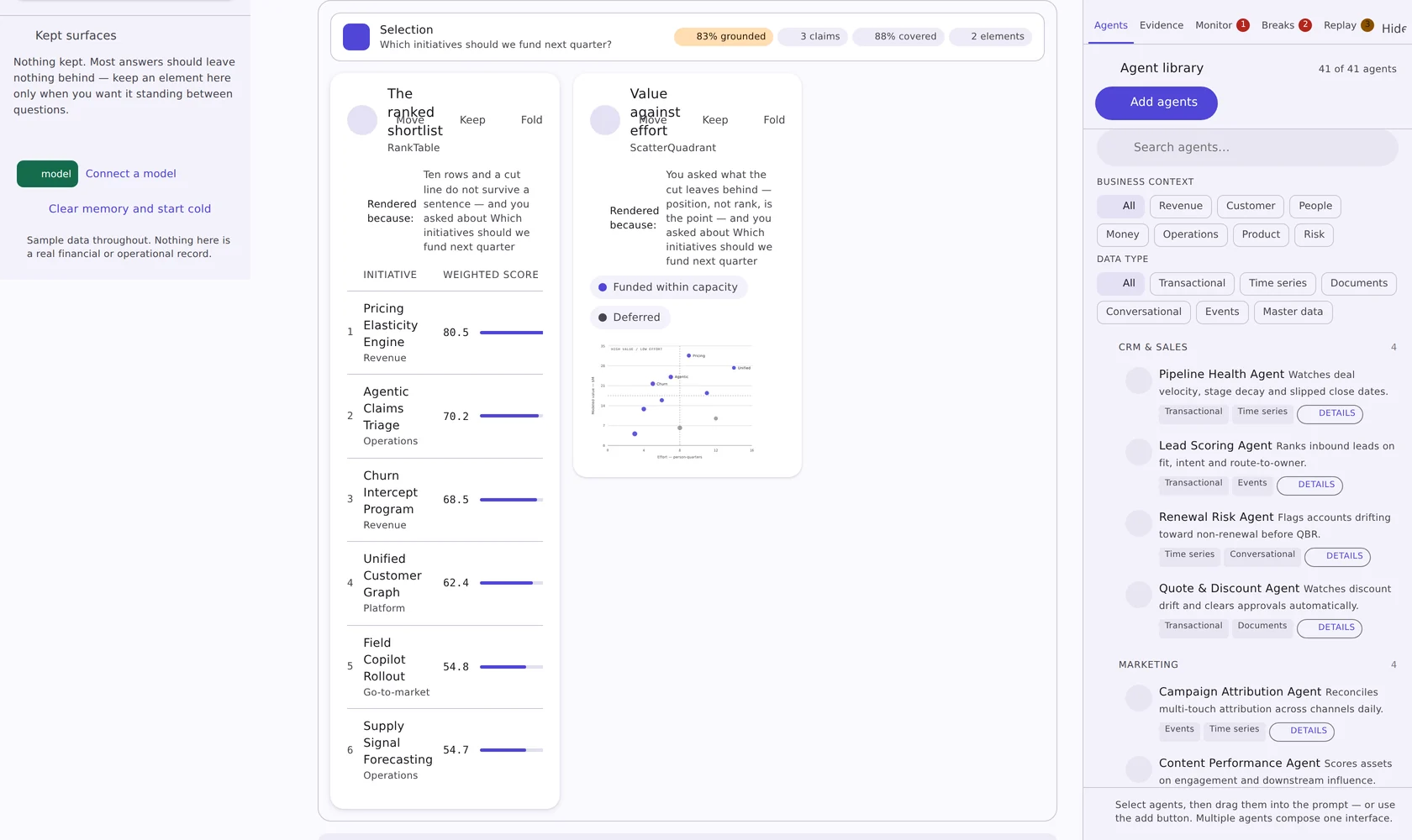
Generating a screen is the easy part. Trusting it is not.
Any model can emit a dashboard. The question every buyer asks next is the one most generative-UI tools cannot answer: where did that number come from, which agent produced it, what happens if the input moves, and how do I reproduce the run that went wrong.
Every number is traceable
Retrieved, computed or inferred — each claim names its source, its freshness, its owner and its trust score. Nothing arrives as an unattributed figure.
Agent traffic is watchable
Handoffs, retries, latency and cost per step — and the moments two agents return different answers for the same field, surfaced instead of silently resolved.
Break points, not vibes
Which input change flips the conclusion, how far today's answer sits from that edge, and what the blast radius would be if it moved.
Failures are reproducible
Replay the run step by step, isolate the one step that introduced the error, and see what the answer looks like without it.
Ask, clarify, generate — in about thirty seconds
The conversation is the interface. Panels open on the right only when someone wants to check the work.
Someone asks a question
Free text, routed to intent. Agents from your library ground the answer — drag them into the prompt, or ask without them and let the router pick. The library holds the agents you register, filtered by business context and data type.
The agent asks back — once
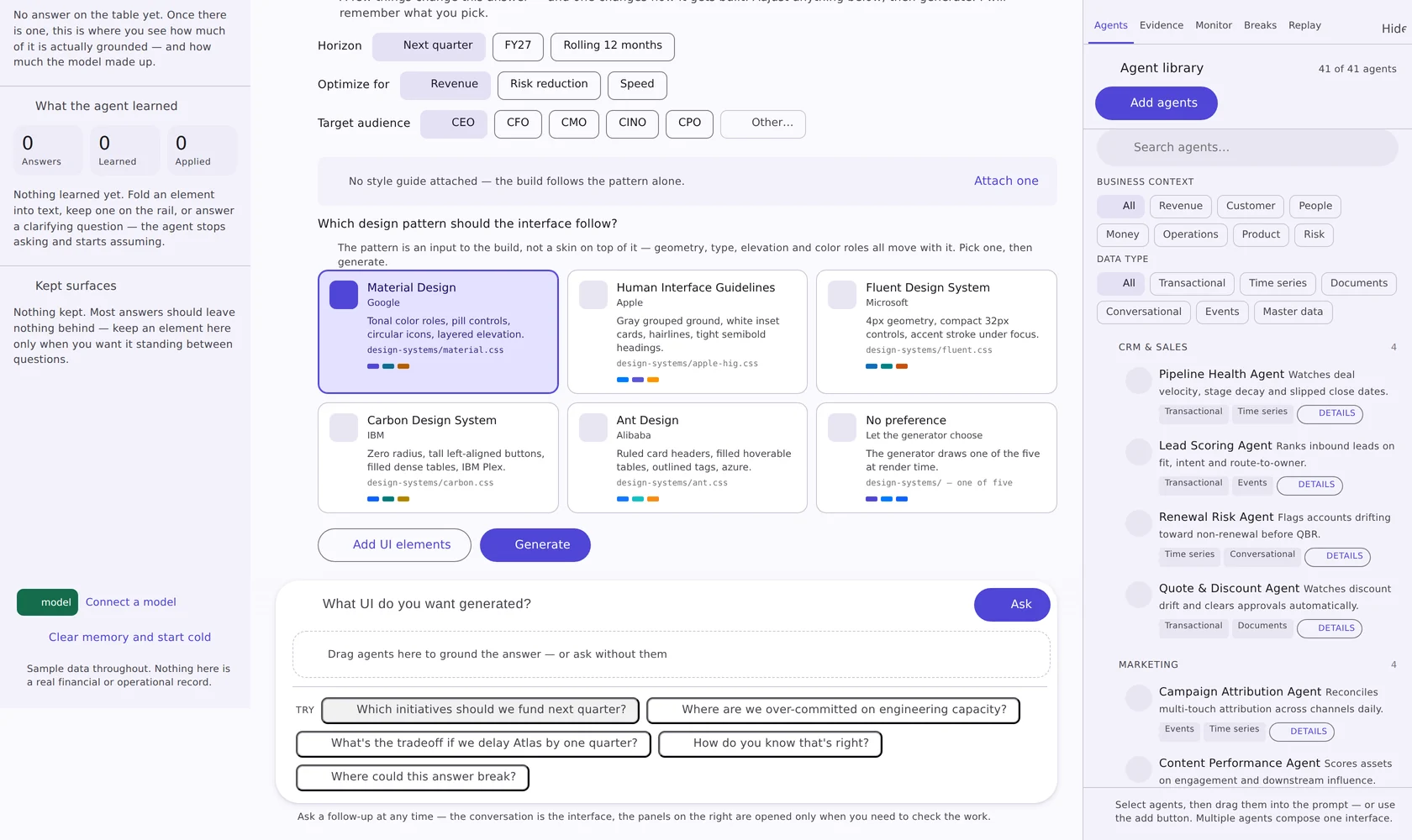
A few inline choices that actually change the answer: horizon, what to optimize for, who is reading it, and which design system the build should follow. Answer once and the agent remembers; next time the answers are prefilled and the composition still runs fresh.
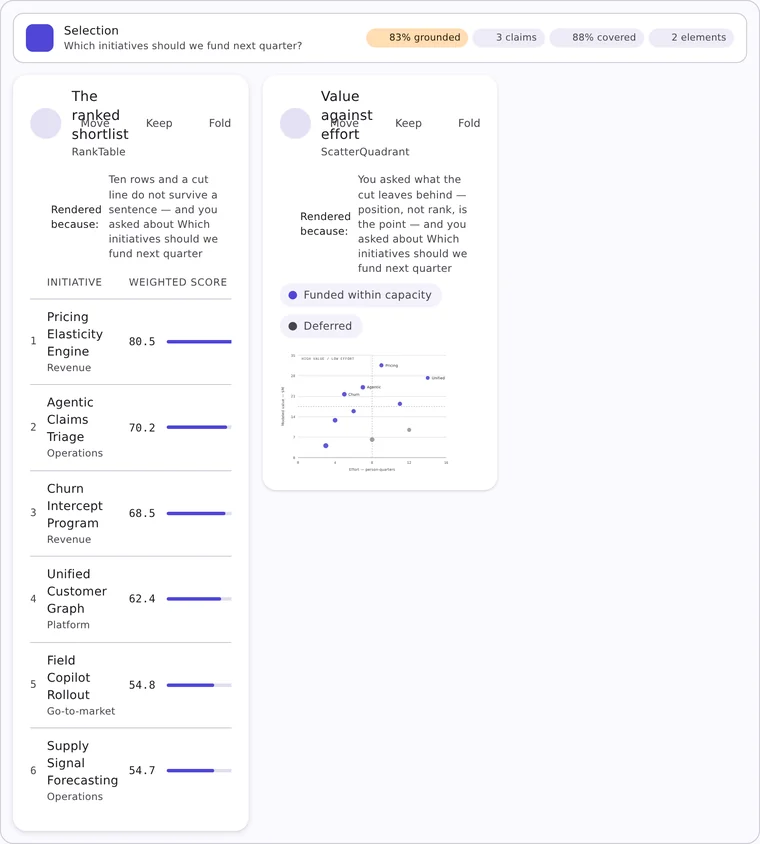
The interface is composed, not skinned
Elements are chosen from the answer's own claims — a ranked table because there is a ranking, a quadrant because position matters more than order. The design system is an input to the build: geometry, type, elevation and color roles all move with it.
Keep what is still useful, fold the rest
Fold an element back into a sentence, pin one to the rail, rearrange the cards, or export the whole interface. Most answers should leave nothing behind.
The clarifying step is where the answer gets good
Most generative-UI tools guess and hope. AmorphiaUI asks the two or three things that genuinely change the result, shows the design-system choice as part of the same decision, then builds.
- Inline chips, not a wizard — the conversation never leaves the page
- Answers are remembered and prefilled on the next run
- Attach your own style guide — CSS custom properties, a design-token JSON export, or a written guide with hex values in it
- Read in the browser; nothing is uploaded anywhere
Five panels that answer “how do you know?”
Docked to the right of every answer, closed until someone needs it. This is the layer buyers pay for — and the reason a generated interface can survive a review.
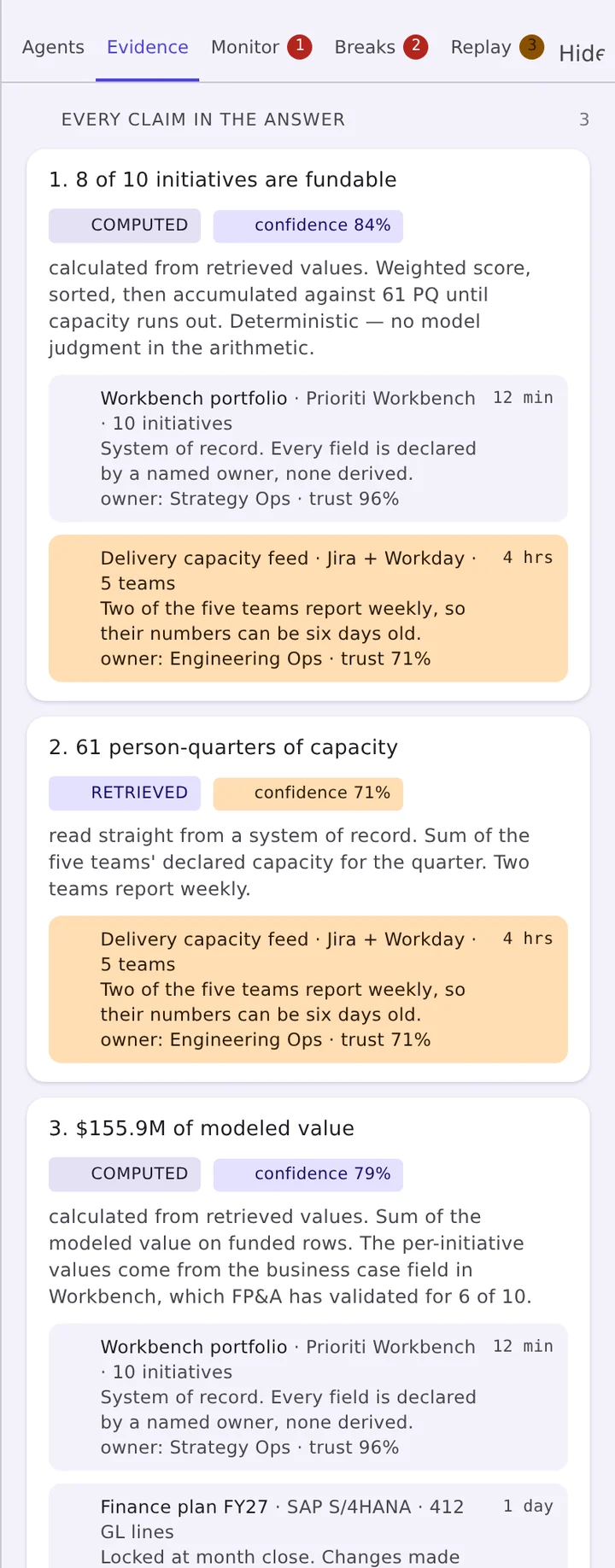
Evidence
Each claim in the answer is listed with how it came to exist. A computed figure shows the arithmetic and says whether any model judgment entered it. A retrieved figure names the system of record, the field owner and how stale it is.
- Computed, retrieved or inferred — labeled, never blended
- Per-claim confidence, and a trust score on every source
- Freshness in plain terms: 12 min, 4 hrs, 1 day
- Sources that are getting stale are flagged amber before anyone acts on them
Monitor
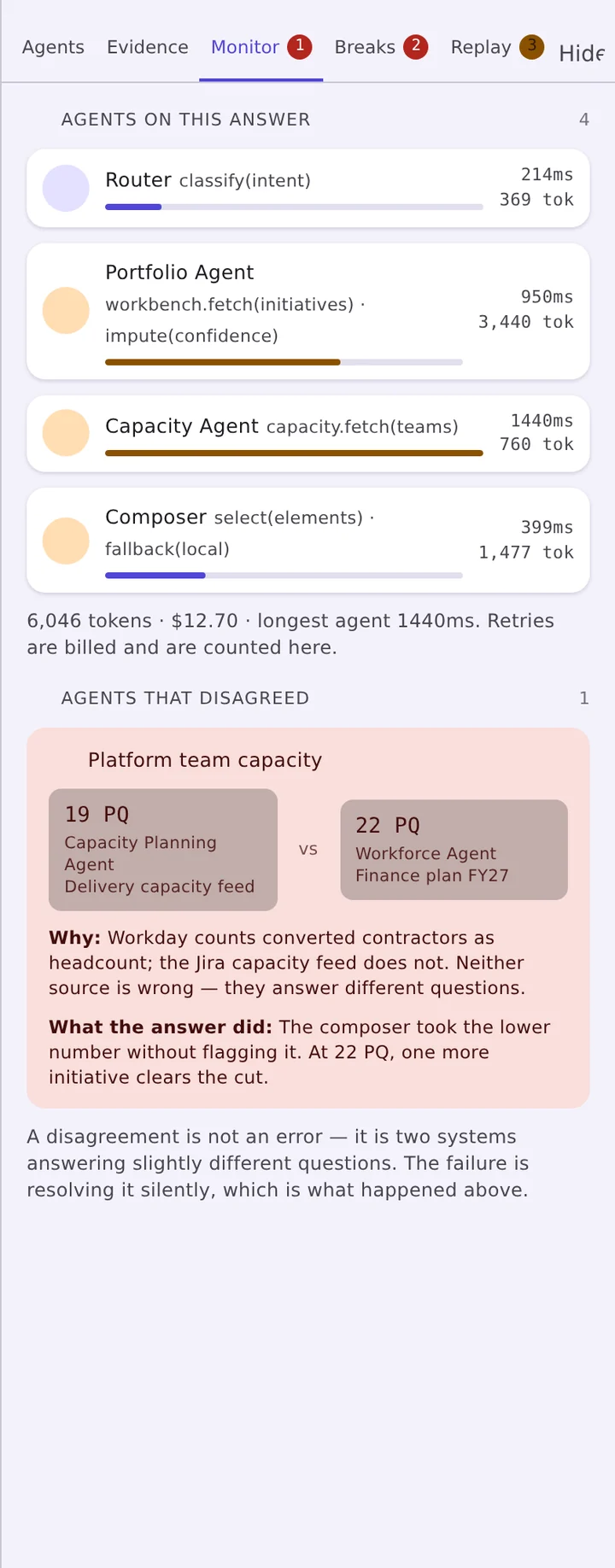
Multi-agent systems fail quietly. The monitor makes the traffic visible: which agent ran, what it handed off, what it retried, how long it took and what it cost — plus the disagreements that would otherwise be resolved silently behind the answer.
- Per-agent activity table and a timeline of the run
- Latency and cost attributed to the step that spent it
- Disagreements surfaced when two agents return different values for one field
- Ships as an MCP server, so it maps onto the agent stack you already run
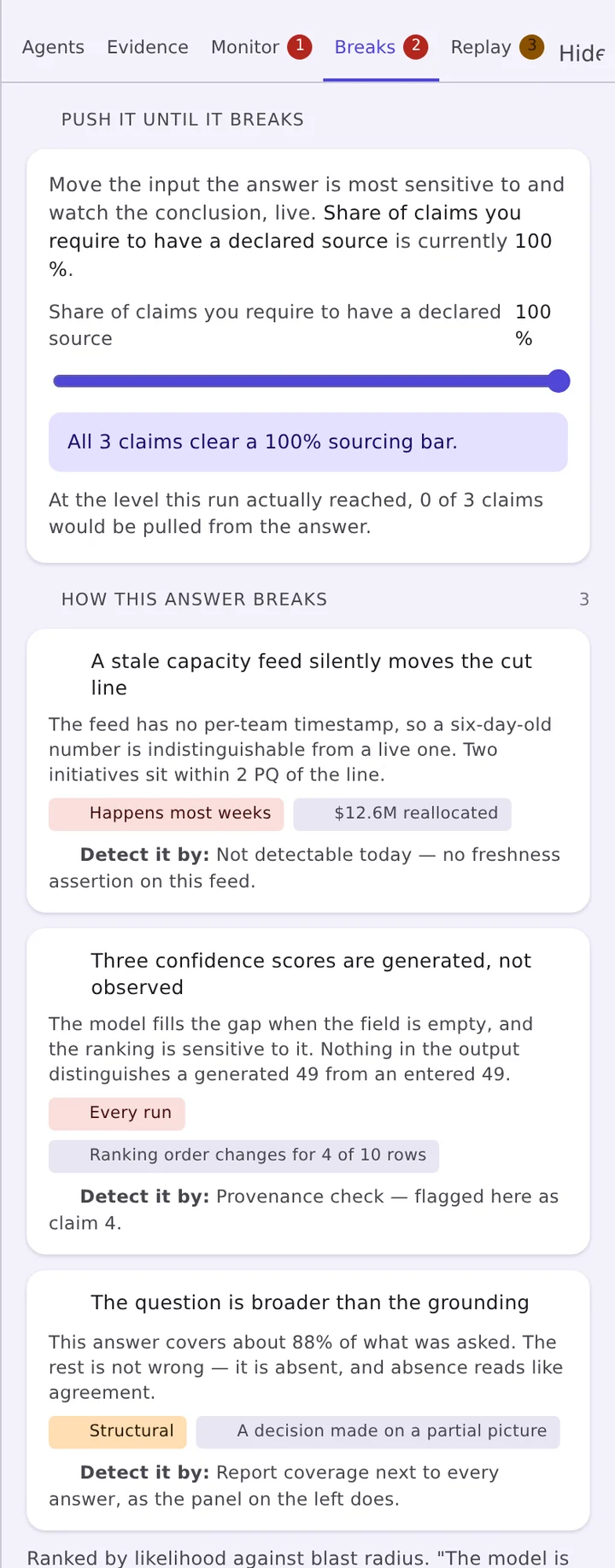
Break points
Not a confidence percentage — a list of the specific input changes that would reverse the conclusion, and how far today's inputs sit from each edge. Then a what-if probe to move one and watch the answer respond.
- Break-point list, ordered by how close each one is
- What-if probe against the live answer
- Blast radius: which claims and which elements move with it
- An explicit statement of what the answer does not cover
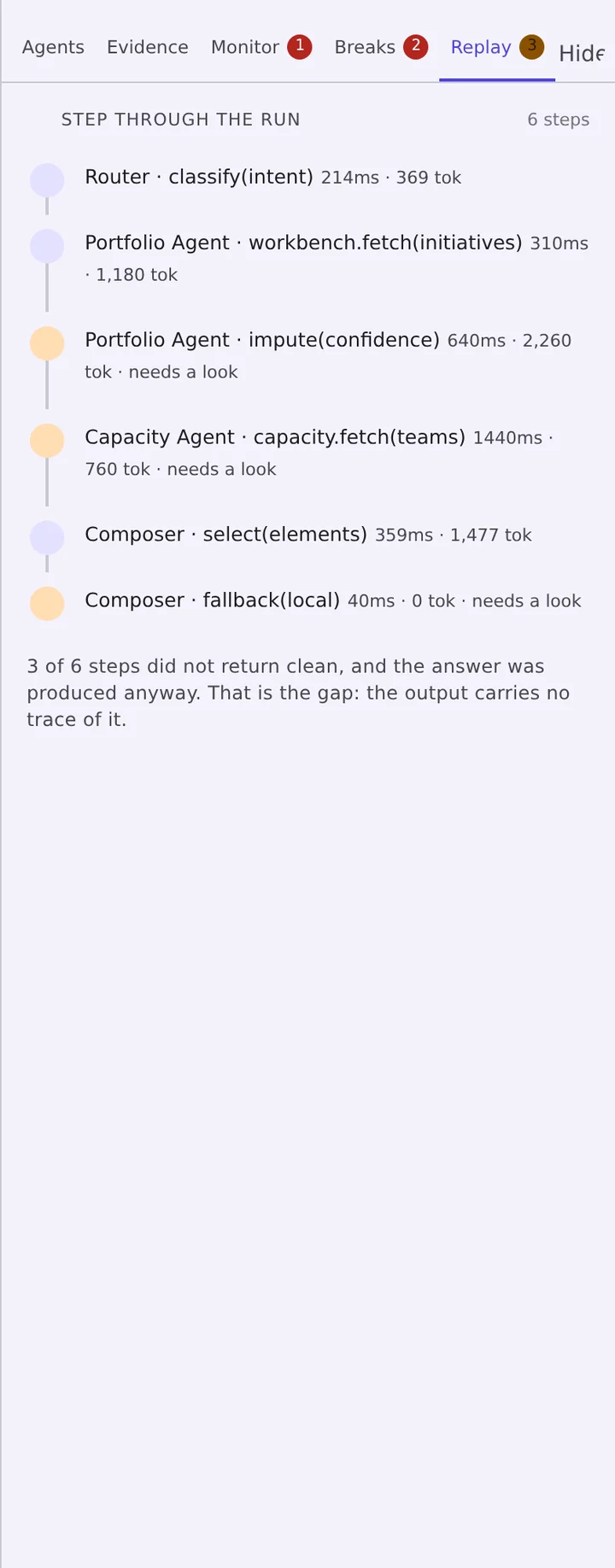
Replay
Agent interactions are famously impossible to troubleshoot after the fact. Replay walks the run one step at a time, so the step that introduced the error can be isolated and the answer recomputed without it.
- Step-by-step playback of the whole run
- Isolate a step and see the answer with that step removed
- Every answer keeps its run, so the replay is available later
- The same reproducibility story an enterprise review will ask for
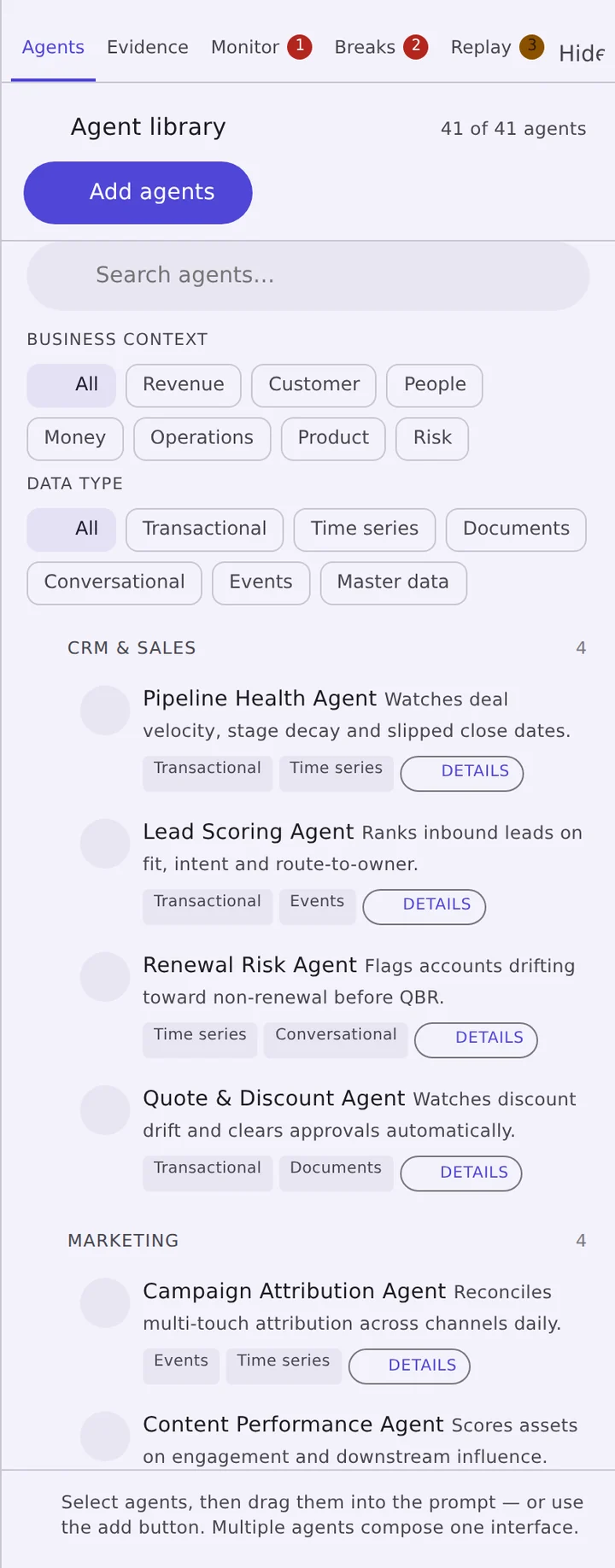
Agent library
AmorphiaUI does not ship agents — you bring the ones you already run. The library is where you register them, describe what each can speak to, and keep them organized as the set grows. Select several and they compose one interface together.
- Register your own agents and build a library that matches how your team works
- Tag each with the business context it covers and the data types it reads
- The library filters to the agents that can actually answer a given question
- Drag agents into the prompt to ground a specific question
The same answer, built five ways
The pattern is an input to the build, not a skin on top of it. Geometry, type, elevation and color roles all move with it — as does your own style guide, layered over the pattern you pick.
design-systems/material.css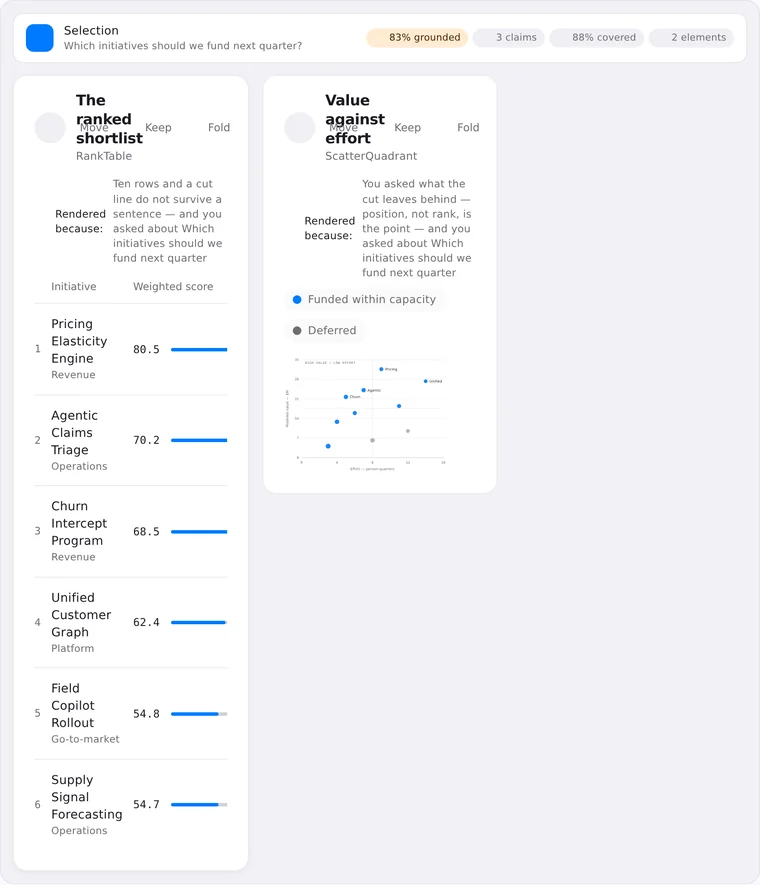
design-systems/apple-hig.css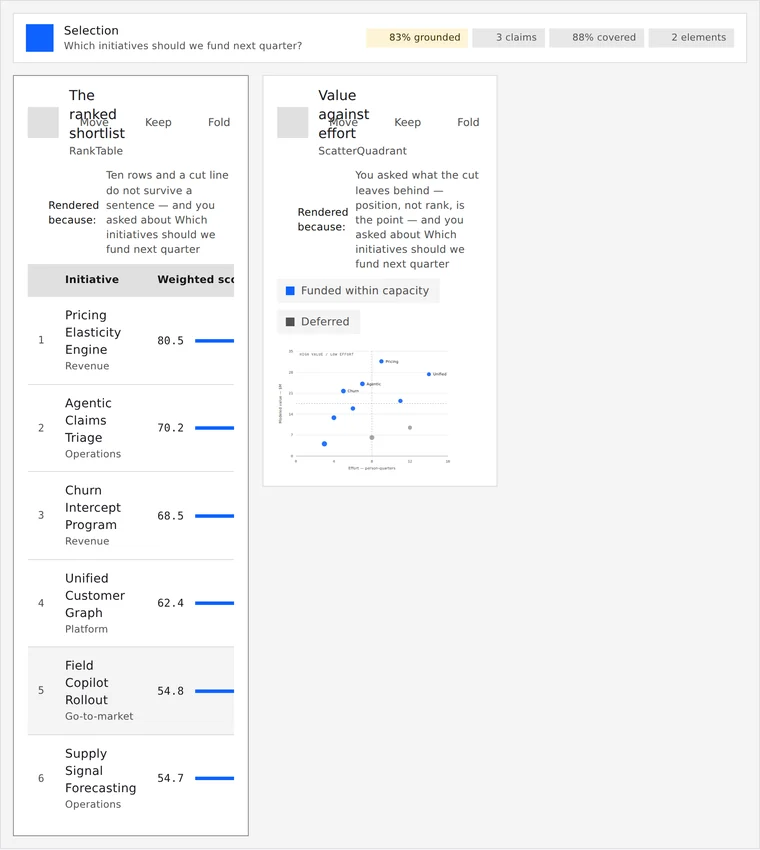
design-systems/carbon.css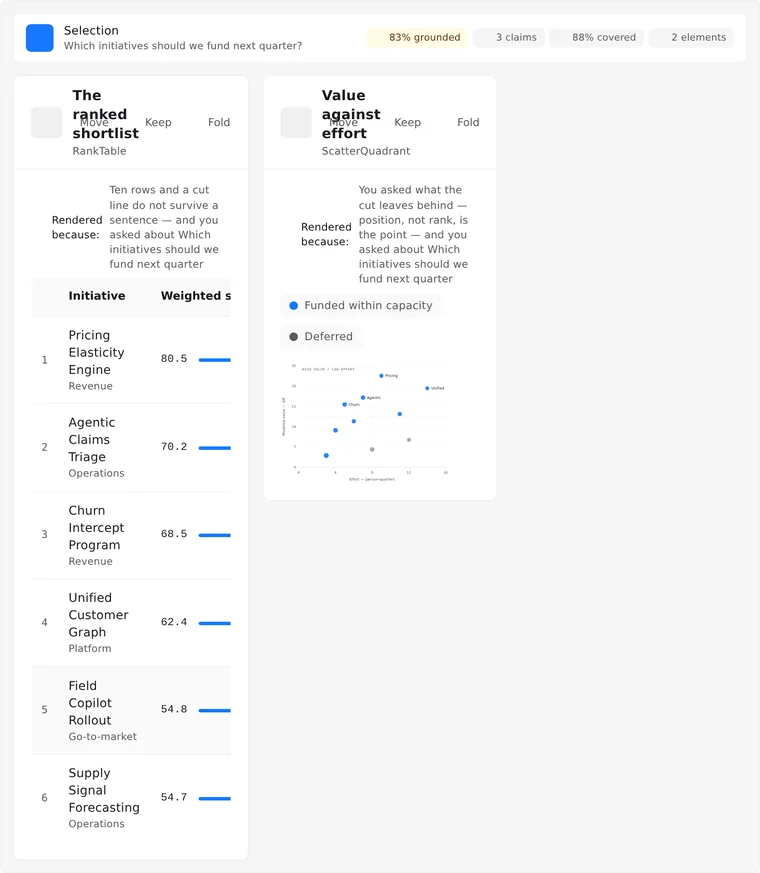
design-systems/ant.cssBuilt for the people shipping agent products this quarter
Indie developers
You have an agent that works and a UI that does not. Buy the app, point it at the model you already use, and ship an interface that answers “how do you know?” without building the assurance layer yourself.
Teams of two to ten
Client deliverables are permitted from Team upward. Ship the generated interface inside a larger application, with one license covering the whole team rather than a seat count that grows with the project.
Platform and product teams
Unlimited internal seats, redistribution within named products, source escrow, a response-time SLA and a named support contact — with implementation available through Prioriti AI or FractionalCX.
Licensed to use, not to resell
Download the app once, run it in unlimited commercial projects, and keep every update within the major version. What you do not get is the right to repackage it and sell it as a competing product.
What the market charges today
Ship the interface. Keep the receipts.
One-time license, lifetime updates within the major version, yours to download and keep. Tell us what you are building and we will point you at the right tier.
Or email contactus@amorphiaui.com — we read every note.